Pretty XML Sitemaps is a free Chrome extension that turns XML sitemaps and sitemap indexes into clear, searchable tables. It supports news, videos, image counts, and alternate language links. Unstyled XML sitemaps open in the table automatically; click the extension button to replace existing XSLT styling.
Download Pretty XML Sitemaps 0.5.0
For now, install it manually using the steps below. The extension is not yet listed in the Chrome Web Store.
Browse your sitemap
Find the page you need without scrolling through raw XML:
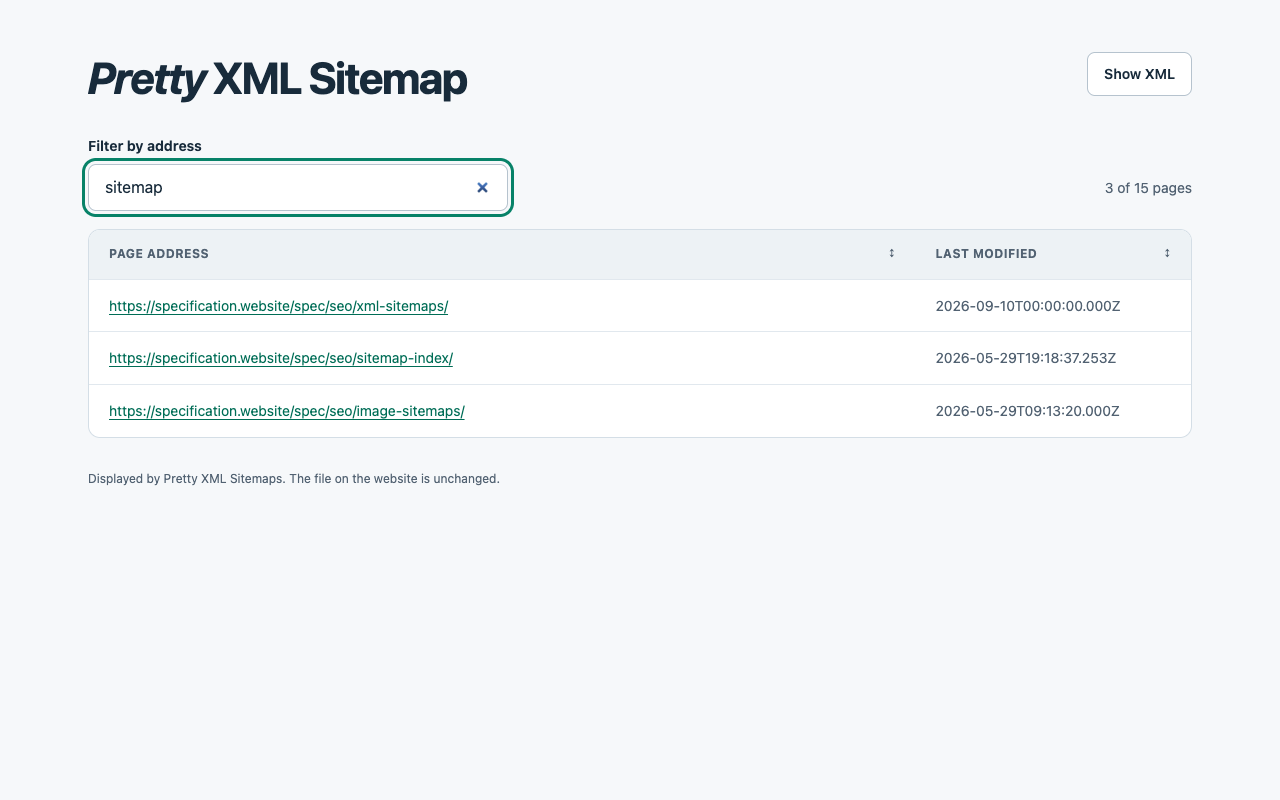
- Search for part of an address across the whole sitemap.
- Click a link to open a page or a child sitemap.
- See the modification dates supplied by the site.
- Follow alternate language versions in the Languages column when a sitemap includes hreflang links. Search by language or alternate address, and click Languages to sort.
- See how many images each page lists and sort by that count. The Images column appears when the sitemap includes images.
- Click a table header to sort by address or date. Click again to reverse the order.
- Browse long lists in pages of 100 entries.
- Switch between the table and the XML data.
The view follows your browser’s light or dark appearance. It only changes XML sitemaps and sitemap indexes. Feeds, other XML documents, and ordinary web pages stay as they are.
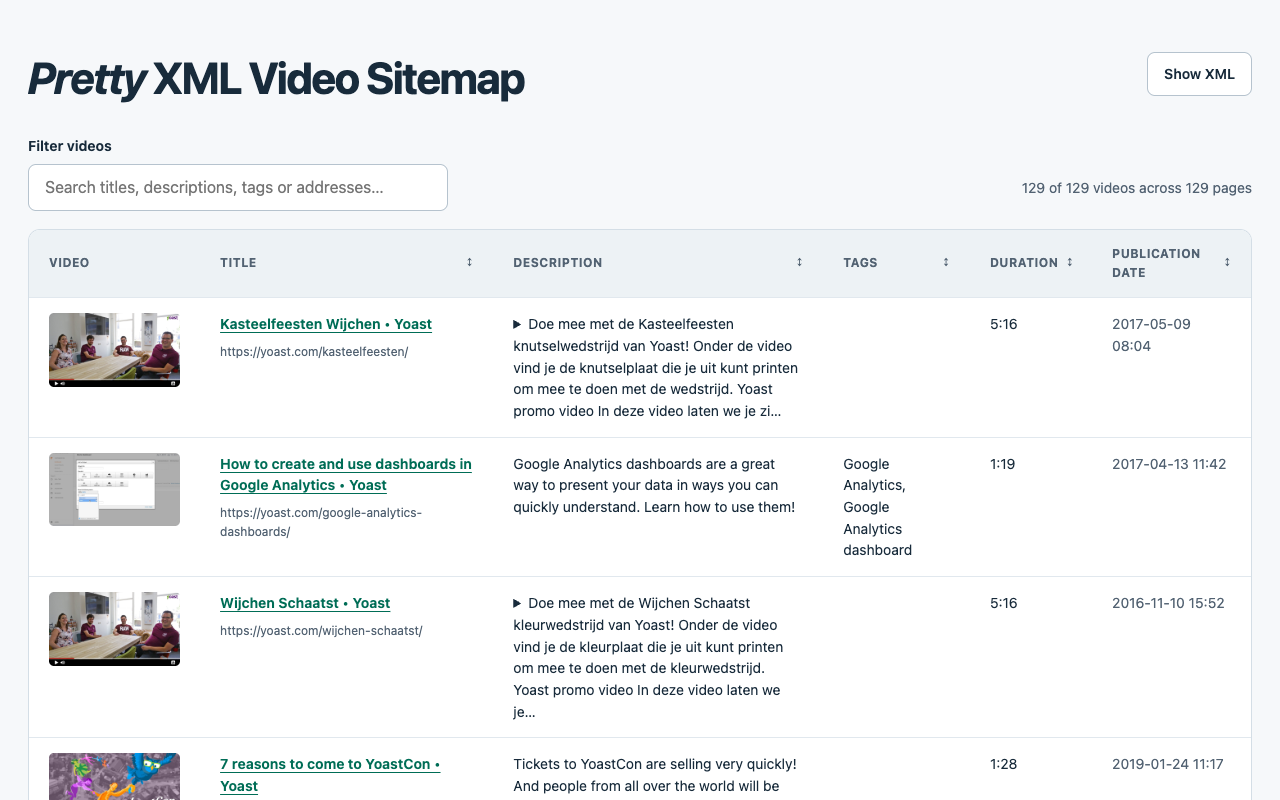
Video sitemaps
Video sitemaps show thumbnails linked to the player, titles linked to their pages, descriptions, tags, duration, and publication dates. Search titles, descriptions, tags, or page addresses, and click a column heading to sort. Each video gets its own row, including when a page has several videos.
News sitemaps
News sitemaps show article titles, publication names, languages, and publication dates alongside the last modification dates. Search for a headline, publication, language, or address, and click a column heading to sort.
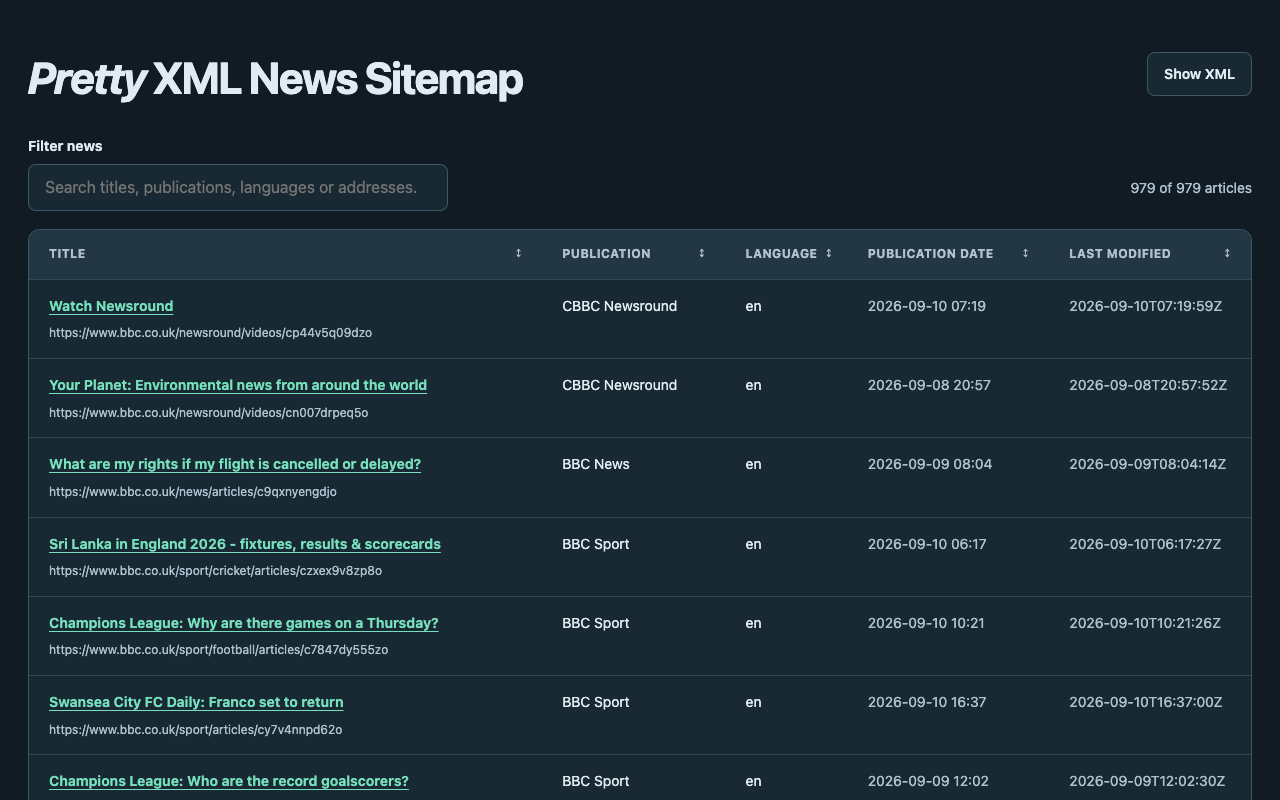
Try it on BBC’s news sitemap.
Replace existing sitemap styling
If a sitemap already has XSLT styling, click Pretty XML Sitemaps in Chrome’s Extensions menu to replace it with the extension’s view. Pin the extension for a button on your toolbar. Refresh the tab to restore the website’s original view.
Install in Chrome
Requires Chrome 106 or later.
- Download the ZIP above and unzip it.
- Type
chrome://extensionsinto Chrome’s address bar. - Turn on Developer mode.
- Click Load unpacked and select the unzipped folder containing
manifest.json. - Open or refresh a sitemap tab.
Try it on specification.website’s sitemap index. Click any sitemap in the table to browse its entries.
To update an existing unpacked installation, replace its files with the new version, click Reload on its card at chrome://extensions, and refresh your sitemap tabs.
Your data stays in your browser
The extension reads the current sitemap and its address to build the view. It uploads no sitemap data or search terms, and has no tracking or saved browsing history. Video thumbnails load directly from the image addresses listed in the sitemap, without a referrer. The image hosts receive normal browser requests. Clicking the extension button loads the current address again to read its XML, using your normal browser access to that site. The file on the website stays unchanged.
Chrome asks for website access because a sitemap can live on any domain or path. The extension checks that a document is a sitemap before displaying it. It does not request access to local files.
Read the extension’s privacy policy for details.
Questions or feedback
Contact me if you find a problem or have a suggestion. Include the extension version and, if the sitemap is public, its address.