Sitemap Inspector is my free Chrome extension for browsing and checking XML sitemaps. It turns sitemap indexes, standard sitemaps, news, and video sitemaps into searchable tables, flags issues, and lets you check the listed URLs when you choose.
Install Sitemap Inspector from the Chrome Web Store
If you used an earlier version called Pretty XML Sitemaps, this is the same extension with a new name and more inspection tools.
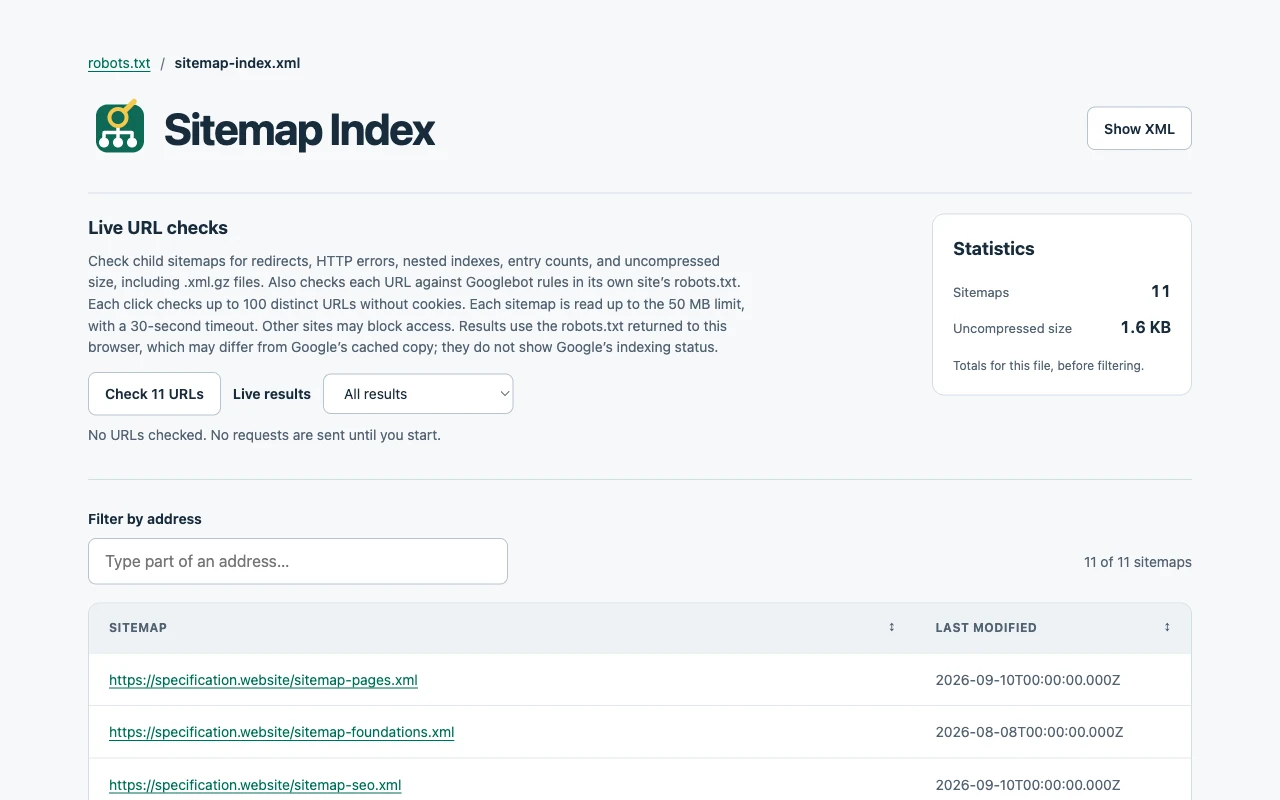
Browse your sitemap
Search across the whole sitemap, sort columns, and browse long lists in pages of 100 rows. Open a listed page or child sitemap, see modification dates, sort by image count, and follow alternate language links from hreflang entries. Switch to the XML view to inspect the parsed sitemap data.
Unstyled sitemaps open in the table automatically. If a site already uses XSLT styling, click Sitemap Inspector in Chrome’s Extensions menu to replace it with the extension’s view. Pin it for a toolbar button. Refresh the tab to restore the site’s original view.
The extension also makes Sitemap links in robots.txt clickable. Breadcrumbs follow the sitemaps you visit, so you can get back to an index without losing your place. The view follows your browser’s light or dark appearance and adapts to narrow windows.
Find sitemap issues
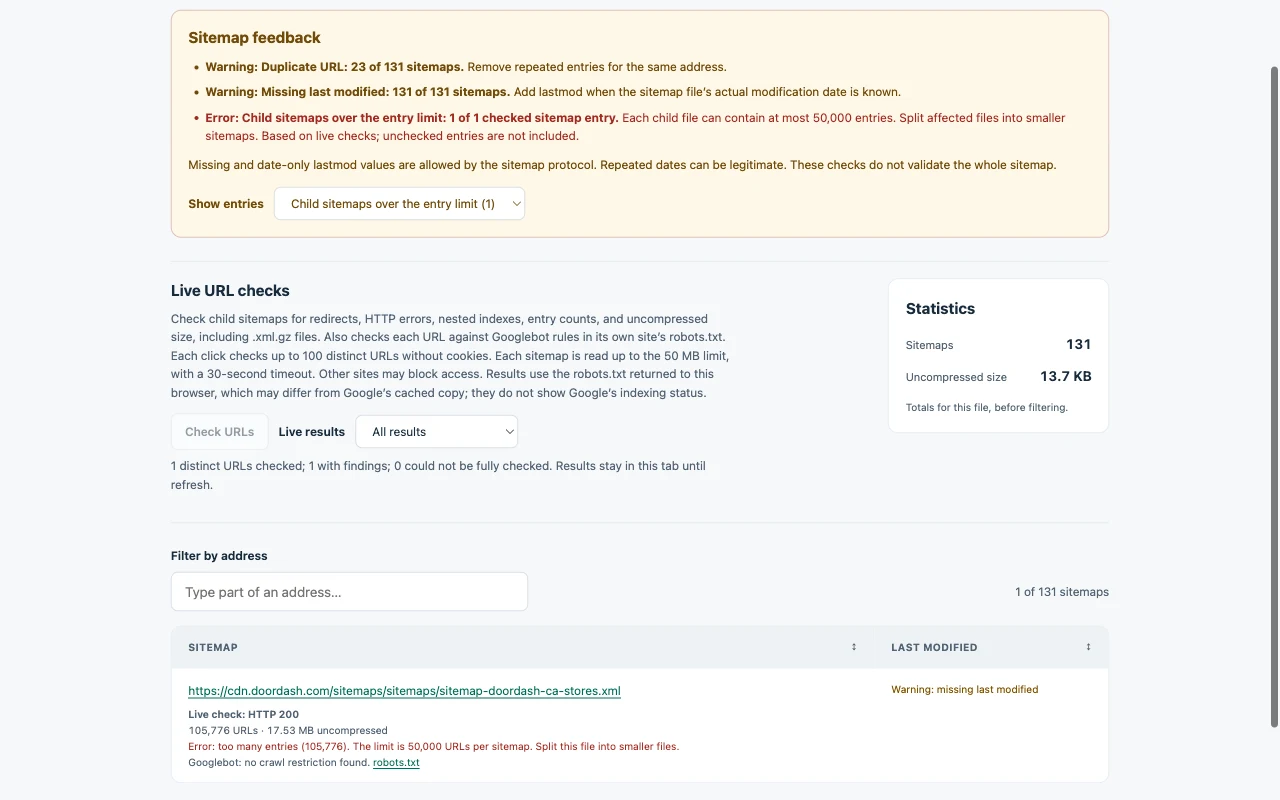
The feedback summary points out entries worth checking, with counts and filters to find the affected rows:
- Missing, invalid, future, or repeatedly identical modification dates.
- Missing, malformed, relative, or duplicate URLs, including conflicting dates for the same address.
- Mixed HTTP and HTTPS, fragments, tracking parameters, and credentials in URLs.
- Files above the entry or uncompressed-size limits, unexpected content types, and nested sitemap indexes.
Missing modification dates and dates without a time are allowed by the sitemap protocol. Repeated dates can be legitimate too. The extension distinguishes quality suggestions from errors; it does not perform full sitemap schema validation.
The Statistics box shows the current file’s total entry count and uncompressed size before filtering. If the browser does not expose the original size, it says so.
Check URLs and child sitemaps
Click Check URLs to inspect up to 100 distinct URLs matching your current filters. Find redirects, HTTP errors, noindex directives in HTML or response headers, and canonical links that point elsewhere. Stop a batch at any time, then click again to continue with unchecked URLs. A rate-limit response pauses new checks.
HTTP errors (including 404s), redirects, noindex directives, invalid canonical URLs, canonical links that point elsewhere, and incomplete checks also appear in the feedback summary at the top, with counts and separate filters for the affected URLs.
For sitemap indexes, these checks read the child files, including gzip archives, to count entries and measure uncompressed size. They flag entry-limit, size-limit, and nested-index errors in the rows and summary. Incomplete checks show partial counts and sizes as lower bounds. Child files are not followed recursively.
Live checks also compare each listed URL with Googlebot rules in its site’s robots.txt. Blocked URLs show the matching rule and line number, with a link to the policy. Use the filters to isolate blocked URLs, other findings, incomplete checks, or entries you have not checked yet.
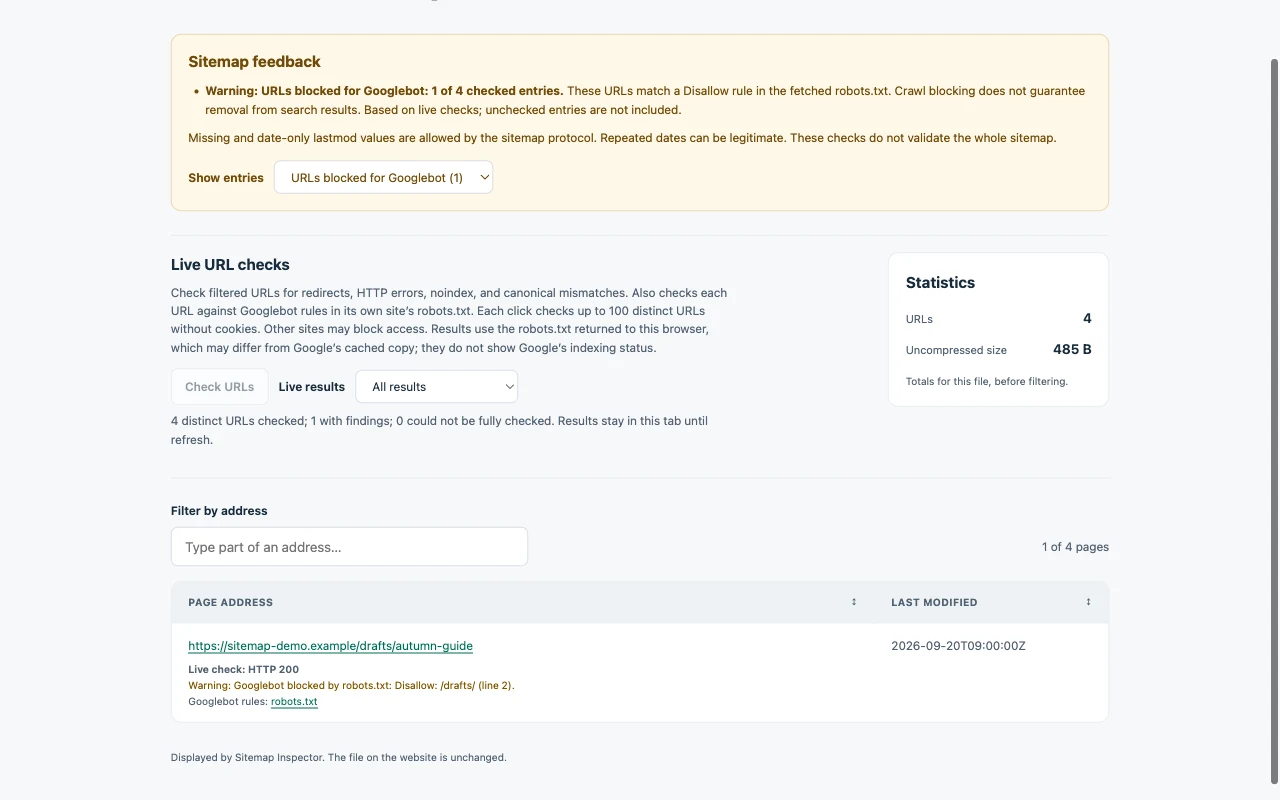
These checks use the responses your browser receives. They do not run a page’s JavaScript, impersonate Googlebot, or reveal Google’s indexing status. Google’s cached robots.txt may differ, and browser access restrictions or timeouts can prevent a complete check. Unreadable robots.txt policies are marked unverified.
News, videos, images, and languages
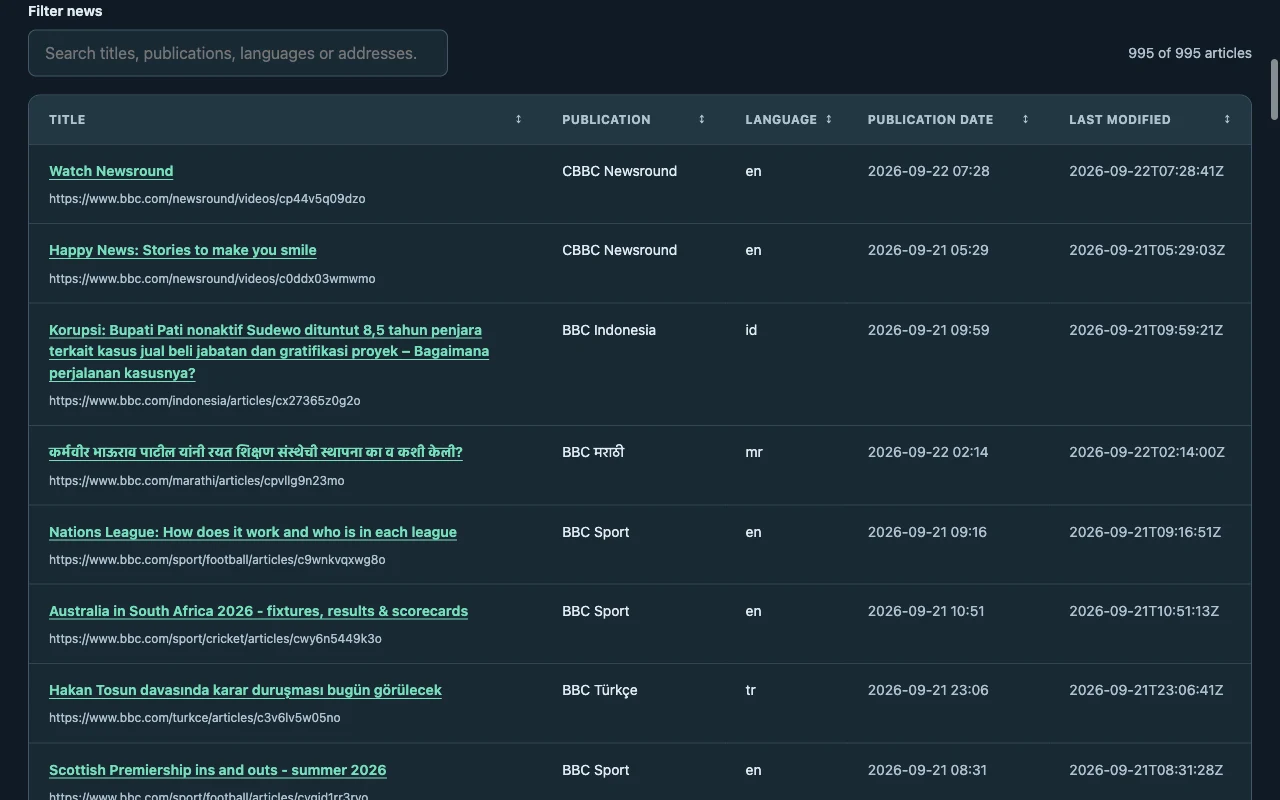
News sitemaps show headlines, publication names, languages, and publication dates. Search by headline, publication, language, or address, and sort using the column headings.
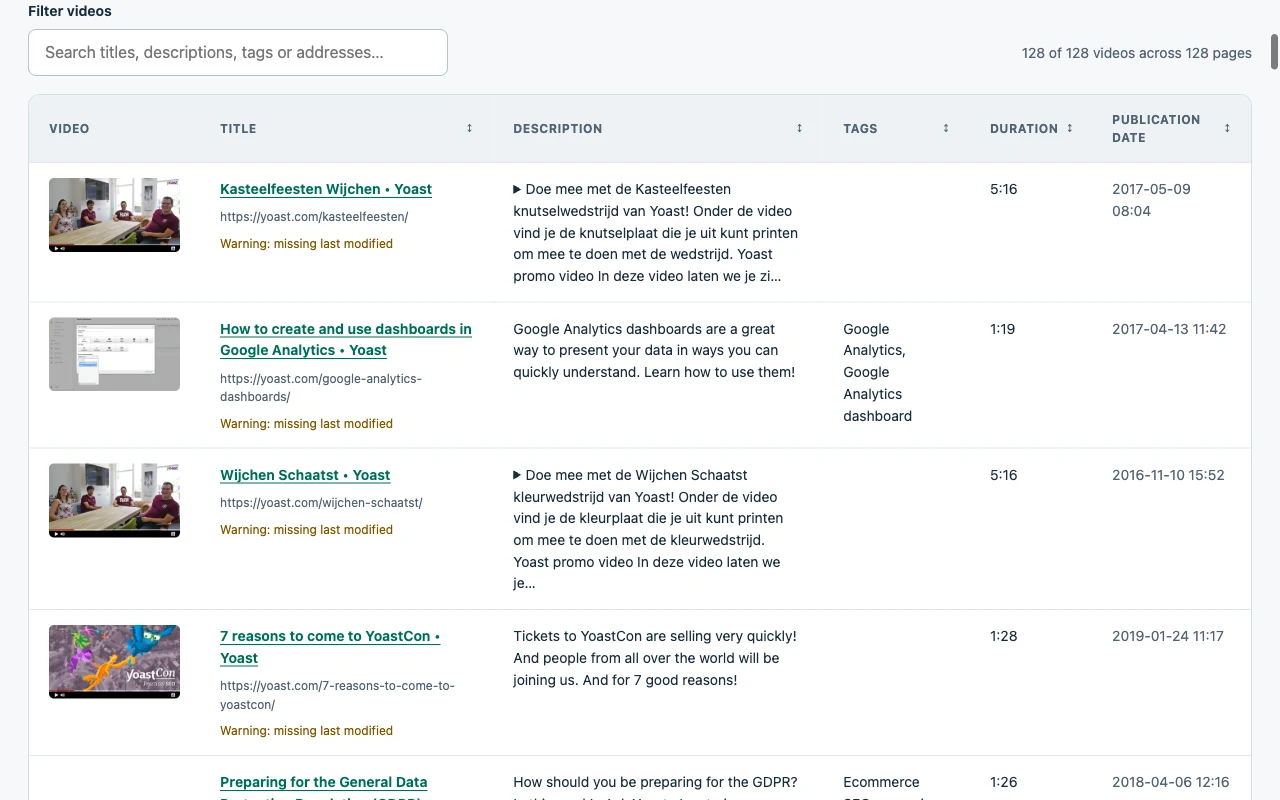
Video sitemaps show thumbnails, titles, descriptions, tags, durations, and publication dates. Each video gets its own row, even when a page has several videos. Players open only when you click their links.
For image sitemaps, the Images column counts the images listed for each page without downloading them. Hreflang entries link to alternate language versions, including regional codes and x-default. Search those languages and alternate addresses, or sort the Languages column.
Install in Chrome
Requires Chrome 106 or later.
Install Sitemap Inspector from the Chrome Web Store and open or refresh a sitemap tab. Chrome keeps it up to date automatically.
To install it manually instead:
- Download Sitemap Inspector 0.12.4 and unzip it.
- Type
chrome://extensionsinto Chrome’s address bar. - Turn on Developer mode.
- Click Load unpacked and select the unzipped folder containing
manifest.json. - Open or refresh a sitemap tab.
Try it on specification.website’s sitemap index. Click a child sitemap to browse its entries.
To update a manual installation, replace its files with the new version, click Reload on its card at chrome://extensions, and refresh your sitemap tabs.
The extension recognizes standard sitemap XML, including sitemaps served as plain text or with an RSS content type. Real feeds, other XML documents, and ordinary web pages stay unchanged. Local files and browser downloads are not supported.
Privacy and website access
Sitemap Inspector processes sitemap data in your browser. It has no accounts, analytics, advertising, or uploads to the developer. Live checks run only after your click and request URLs and robots.txt directly, without cookies or referrers. Results and fetched robots.txt policies stay in the tab until refresh or closing.
Video thumbnails load directly from the listed image hosts. The toolbar action can fetch the current address again using your normal browser access to that site. Breadcrumb addresses stay in temporary browser-session memory so navigation and refresh keep your trail. They are never synced or uploaded.
Chrome asks for website access because sitemaps can live on any domain or path. You can restrict that access or disable the extension in Chrome’s settings. Read the Sitemap Inspector privacy policy for the full details.
Questions or feedback
Contact me if you find a problem or have a suggestion. Include the extension version and, if the sitemap is public, its address.